5 AI Tools You Should Try for eCommerce Design in 2025
Originally published on Medium: https://ginouyang.medium.com/5-ai-tools-you-should-try-for-ecommerce-design-in-2025-ab883cc5678c?source=rss-6c5be1f9757d------2
Whether you’re designing a Shopify store or optimizing Amazon listings, AI tools have become powerful assistants for modern eCommerce designers. In this post, I’ll share 5 cutting-edge tools I’ve used to speed up workflows, generate high-converting assets, and save hours of manual effort.
- Imagen 3 — Hyper-Realistic Product Imagery
Use it for: Creating lifestyle scenes, banner visuals, ad creatives
- Prompts generate studio-style or lifestyle images instantly
- Great for testing multiple visual directions without real photoshoots
- Useful for Amazon A+ content or social campaigns
💡 Imagen 3 Pro Tips: It’s All About the Prompts
The secret to great AI-generated images isn’t just the tool — it’s how you talk to it. Mastering prompt writing is the key to unlocking high-quality, on-brand visuals.
- Browse AI galleries: Study the prompts behind images you like. Imagen 3’s gallery or platforms like Lexica or Civitai often show detailed prompt examples.
- Feed it reference images: If you find a photo you love on Pinterest, Behance, or even a brand site, upload it into Imagen 3 (or a vision-enabled AI like ChatGPT 4o) and ask it to describe the style, lighting, and composition. You’ll often get a rich, usable prompt as a starting point.
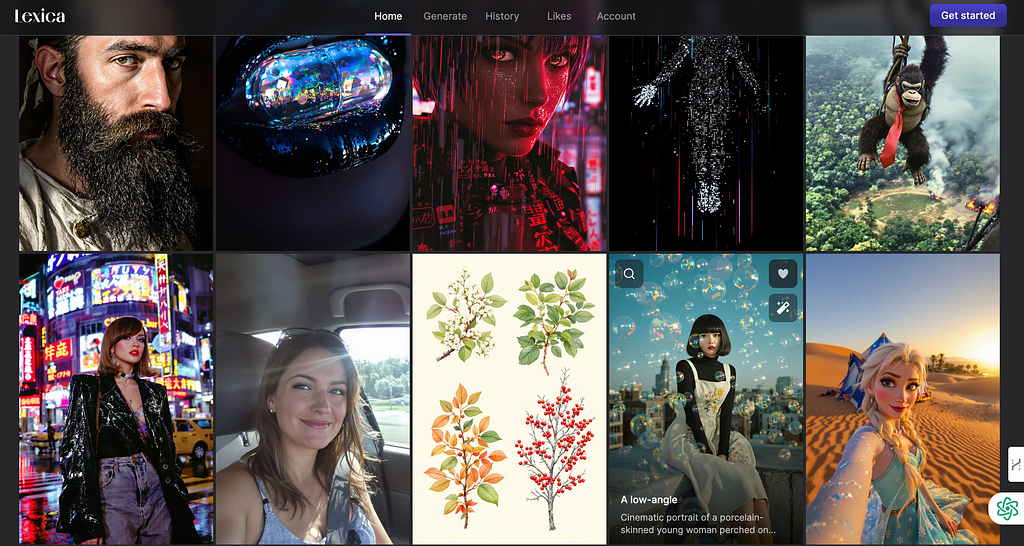
Lexica Art Gallery
2. ChatGPT 4o — AI Copywriter, Strategist & UX Helper
Use it for: Product descriptions, landing page copy, user flow logic
- Generate SEO-optimized copy in your brand tone
- Rewrite CTA buttons or headlines based on different audience personas
- Ask it to simulate a user story or brainstorm microcopy variants
💬 Using ChatGPT-4o for Consistent Brand Voice
ChatGPT-4o isn’t just a copywriting tool — it’s also becoming a powerful creative assistant for visual and strategic content. With its updated memory capabilities, you can build a consistent brand voice over time. By giving it feedback or setting style preferences, it can help you generate ongoing content that matches your personal or business identity.
It’s especially useful for:
- Writing product stories and ad copy in your tone
- Creating content calendars or campaign ideas
- Refining messaging across multiple channels
One trade-off: While ChatGPT-4o can generate images, the speed and realism are still not quite on par with dedicated tools like Imagen 3. If visual quality is critical (e.g., lifestyle banners or PDP hero images), it’s often better to pair ChatGPT with another AI image model.
In short, think of ChatGPT-4o as your brand continuity partner — great for words, ideas, and structure. For final visuals, you’ll still want to run them through your favorite image engine.
3. Figma AI Plugins — Fast UI Iteration & Microcopy Gen
Tools like: Magician, Automator, CopyDoc AI
Use it for: Button labels, pricing cards, product page layouts
- Auto-generate components based on prompts
- Useful for solo designers or rapid prototyping
- Saves time when iterating visual design + content together
💡 Favorite trick: Use AI to generate 5–10 versions of a CTA and choose different styles, then test them in your wireframe.
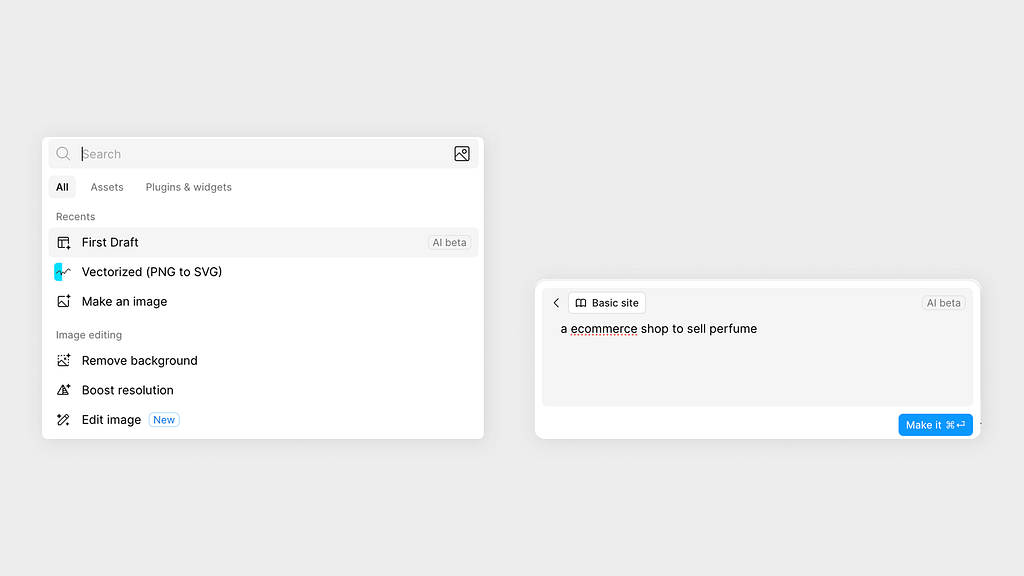
Figma AI — First Draft
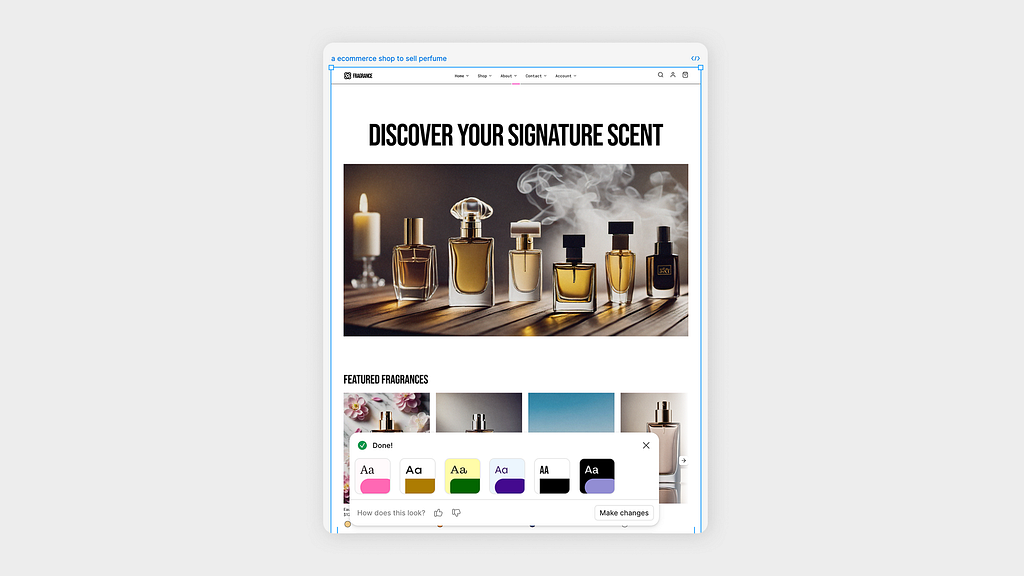
A perfume landing page
4. Sora (OpenAI) — Product Videos in a Prompt
Use it for: Launch videos, app demos, social ads
- Turn prompts into motion visuals: “A tea bottle floating in water with splashes”
- Ideal for early-stage product hype before actual filming
- Can complement product pages with rich media
💡 Pro Tips:
Among all the AI video tools I’ve tested, Sora stands out as the most realistic and polished. It’s especially strong in creating cinematic, brand-style visuals that actually look usable in real-world marketing or product demos.
One of the most powerful features is its Storyboard mode, which allows you to define shot-by-shot sequences. This gives you more control over pacing, transitions, and visual consistency — something most other tools still struggle with.
As with image generation, prompts are everything. A well-written prompt can define camera angles, lighting, motion, and emotion. If you’re unsure where to start, refer back to the Imagen3 prompt strategy: study examples, or ask an AI model to describe the style of a reference video to build your own detailed prompt.
Sora is still early-access, but if you’re building product launch videos or campaign teasers, it’s already surprisingly capable.

Video Generated by Sora
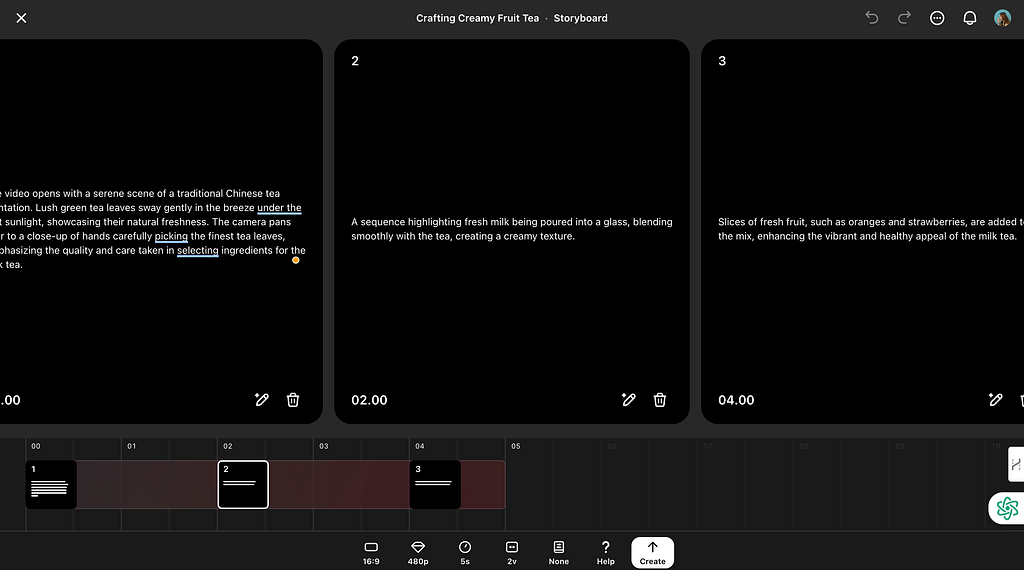
Storyboard Edition
5. Adobe Photoshop AI (Firefly) — Smarter Visual Editing
Use it for: Extending backgrounds, changing props, editing product angles
- Easily remove backgrounds or replace packaging details
- Use “generative fill” to create infinite scroll sections
- Combine with mockups to speed up variations
💡 Example: I used Firefly to place the same product in 3 different home environments for A/B testing and expand the pictures for more content design.
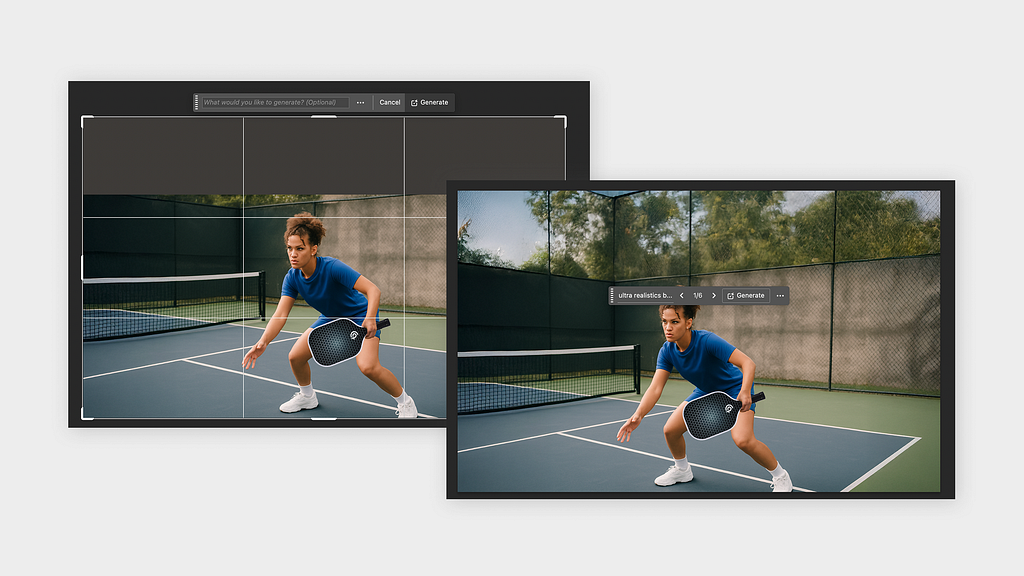
Photoshop Expand feature
Conclusion
AI won’t replace designers — but it does empower us to create faster, test smarter, and design with more impact. Whether you’re building an MVP or scaling an eCommerce brand, these tools help you stay lean and creative.
👉 Next article: I’ll walk through a real eCommerce redesign using Imagen 3 + Figma AI + Chatgpt from brief to launch in 48 hours.