From UX Designer to Builder: Shipping a Headless Shopify Storefront with AI
Originally published on Medium: https://medium.com/design-bootcamp/from-ux-designer-to-builder-shipping-a-headless-shopify-storefront-with-ai-bbca7f9b9f81?source=rss-6c5be1f9757d------2
A real production case study using AI coding tools, Shopify APIs, and Netlify
Over the past year, AI coding tools and so-called “AI agencies” have dramatically lowered the barrier to building real products. What used to require a full engineering team is now increasingly achievable by a single designer — if the platform and architecture choices are right.
In this article, I want to share how I built a production-ready headless Shopify storefront for Flexi-Casa, using AI-assisted development tools and Shopify’s backend ecosystem.
This was not a personal demo, but a real company project that went from local testing to live deployment.
My goal is not to teach Shopify basics, but to show why this approach works so well for designers, and how AI changes the “who can ship” question.
👉 Live site: https://flexi-casa.com/
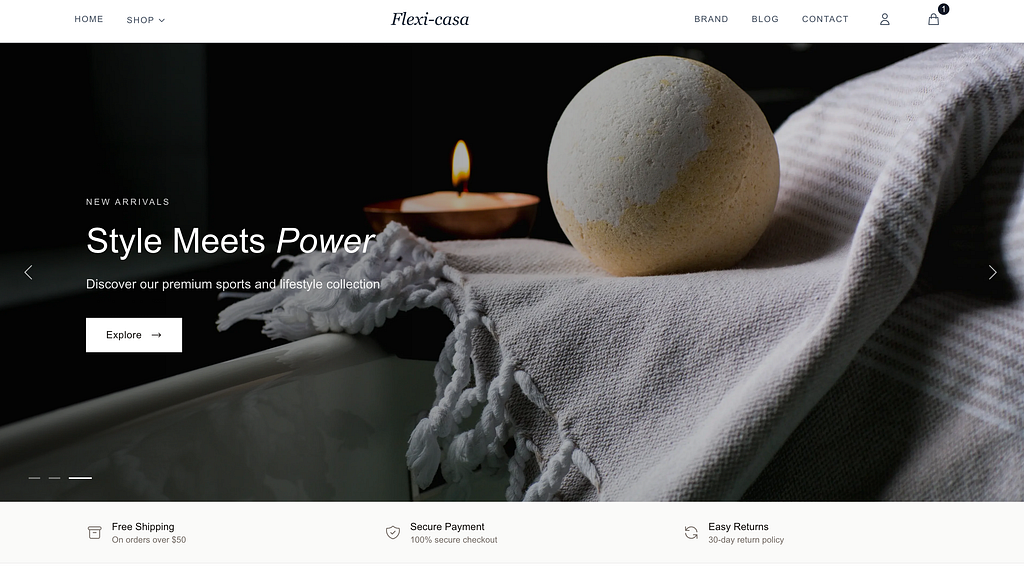
The live Flexi-Casa headless Shopify storefront, built and deployed as a production system.
Why Headless Shopify Makes Sense for Designers
Traditional Shopify themes are powerful, but they tightly couple presentation (UI) with business logic (backend). That tradeoff is fine for many merchants — but limiting if you care deeply about:
- Custom UX flows
- Performance and interaction design
- Scalable design systems
- Brand consistency beyond theme constraints
Headless commerce flips this model.
With Shopify, you get:
- Inventory tracking
- Product and variant management
- Checkout, payments, taxes
- Authentication and customer accounts
All of this lives in Shopify’s backend.
Your job becomes much simpler:
Build the storefront UI. Connect it to Shopify via APIs.
For a UX or Product Designer, this is a huge unlock.
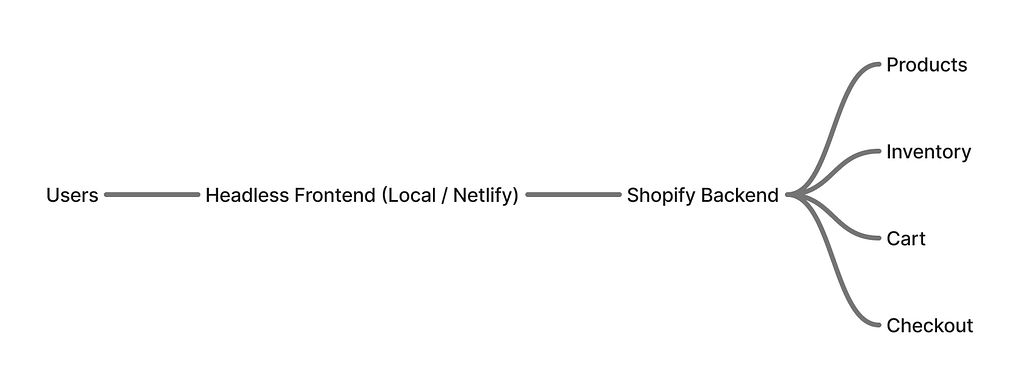
Decoupling the storefront from Shopify’s backend enables full control over UX while reusing proven commerce infrastructure.
The Role of AI in This Project
AI didn’t “magically build everything” — but it changed the slope of development.
I used AI coding tools (including Winsurf) to:
- Scaffold storefront components
- Generate API connection logic
- Iterate on UI states faster
- Reduce boilerplate and setup time
Instead of spending days wiring basic flows, I could focus on:
- Information hierarchy
- PDP (Product Detail Page) structure
- Interaction clarity
- Visual system consistency
AI became a force multiplier, not a replacement for design judgment.
My Development Workflow (End to End)
This project followed a very intentional sequence.
1. Start Local, Not Visual
I began by setting everything up locally.
The first priority was data flow, not UI polish:
- Fetch products from Shopify Storefront API
- Add to cart
- Persist cart state
- Trigger checkout
- Handle signup/account flows
At this stage, the UI was intentionally basic.
Why?
Because a beautiful UI on broken data is wasted effort.
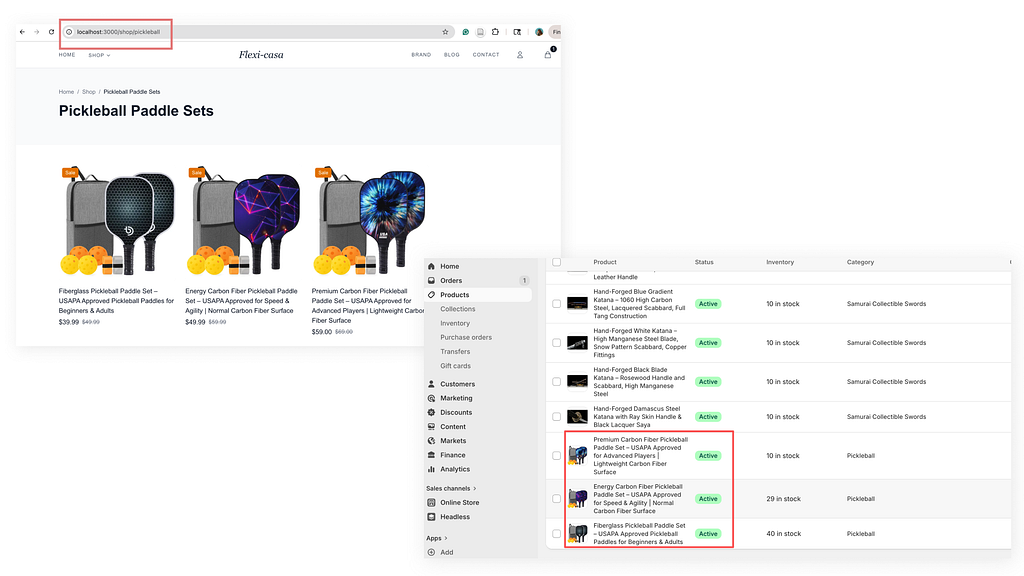
Local development focused on validating data flow first — products, cart, and checkout fully connected to Shopify before visual polish.
2. Validate the Full Shopify Integration
Once the local storefront could:
- Seamlessly connect to Shopify
- Correctly handle inventory and variants
- Complete checkout through Shopify’s backend
…I knew the foundation was solid.
This is where Shopify truly shines:
you’re not reinventing commerce infrastructure — you’re composing it.
3. UI, PDP Systems, and Branding
Only after the backend flow was stable did I move into UI refinement:
- PDP layout and hierarchy
- Product imagery behavior
- Typography and spacing rules
- Brand color and visual rhythm
This mirrors how I think about design systems:
structure first, polish second.
Because the storefront was headless, I had full control over:
- Layout logic
- Interaction patterns
- Visual consistency across pages
No theme limitations. No Liquid constraints.
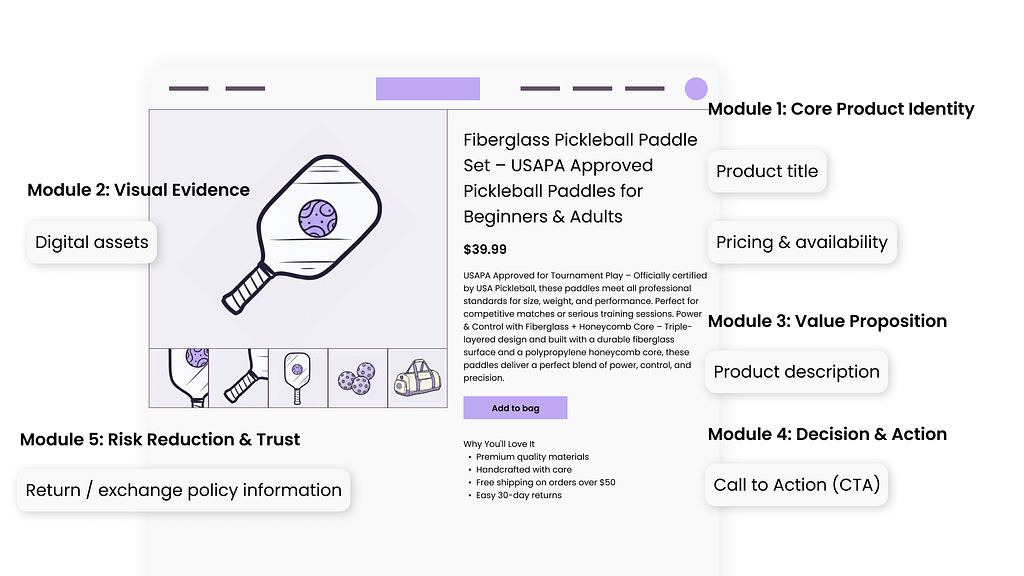
Designing the Product Detail Page after backend integration, focusing on hierarchy, clarity, and scalable component structure.
4. Deployment with Netlify
Once everything worked locally, deployment was straightforward.
Key steps:
- Configure Shopify API keys and public tokens
- Set environment variables in Netlify
- Connect the custom domain
- Validate production data flow
Because Shopify handles checkout securely, the deployment surface area stays relatively small.
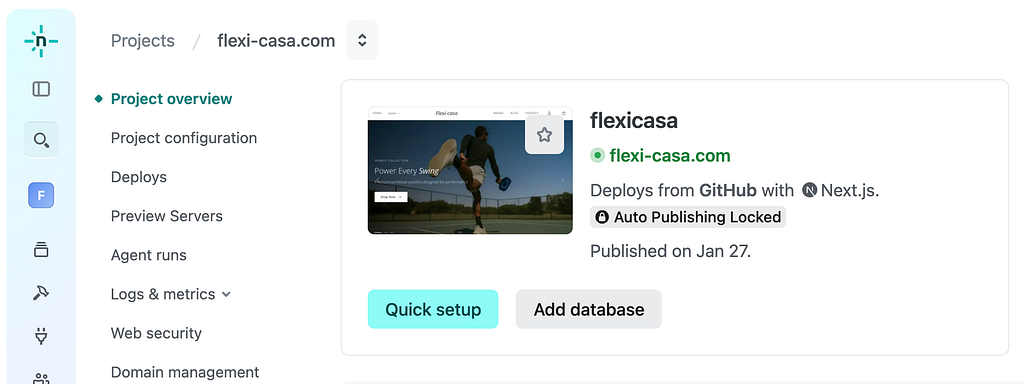
From local development to production deployment — completing the full build-to-launch cycle.
Why This Matters for UX & Product Designers
Here’s the bigger takeaway.
In 2026, with:
- Mature headless platforms
- Robust APIs
- AI coding assistants
Designers no longer need to stop at “handoff.”
Especially in e-commerce, Shopify removes most backend complexity.
Your responsibility becomes:
Design and build the storefront experience — not the entire commerce stack.
This opens real possibilities:
- Designers shipping MVPs independently
- Faster experimentation
- Stronger design–engineering alignment
- Better portfolios grounded in real systems
What I Learned
A few honest lessons from this project:
- Headless is powerful, but only if you understand product structure
- AI accelerates execution, not decision-making
- Starting with data flow saves massive rework later
- Shopify is one of the most designer-friendly backend platforms available
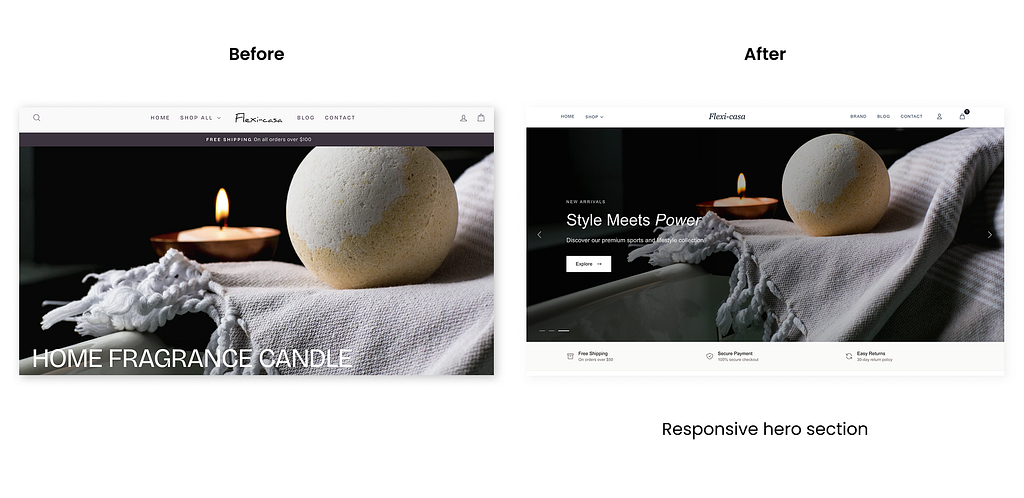
Iteration from early functional layouts to a refined, brand-aligned storefront experience.
Final Thoughts
This project reinforced something I strongly believe:
The future Product Designer is not just a thinker — but a builder.
You don’t need to become a full-time engineer.
But understanding how products are actually shipped gives you leverage, speed, and clarity.
If you’re a UX or Product Designer curious about headless commerce, AI-assisted development, or building real products from zero — this path is more accessible than it’s ever been.
Note: The repository for this project is currently private, as it is a production system for Flexi-Casa. However, I’m happy to discuss architectural decisions, workflows, and tradeoffs.
From UX Designer to Builder: Shipping a Headless Shopify Storefront with AI was originally published in Bootcamp on Medium, where people are continuing the conversation by highlighting and responding to this story.