Isleo
Building an AI-native clay world for focus — Figma → Blender → compose → generate
product
Clay tile kit + layered reveal
Figma → Blender → RN pipeline
Optional Flux month-world generation
Overview
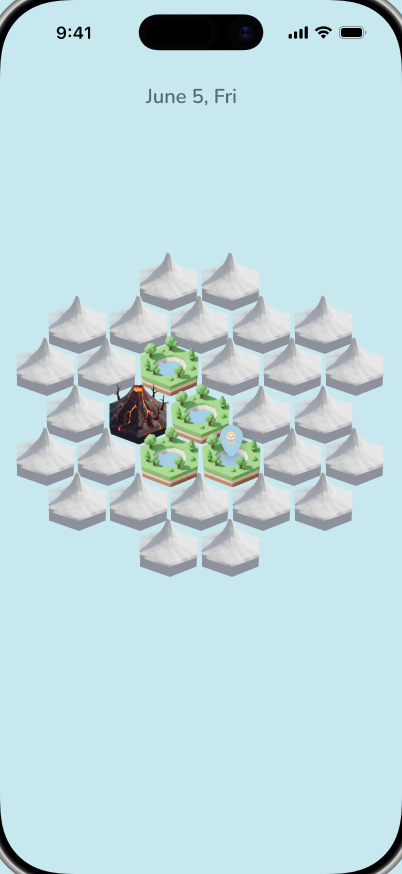
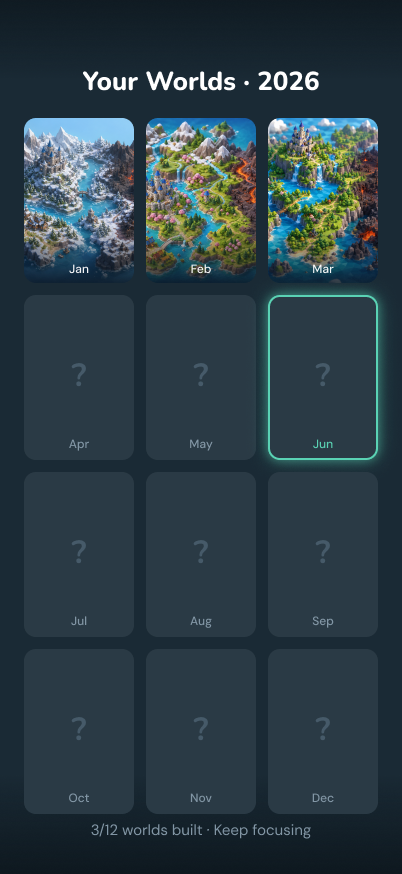
Habit apps usually sell streaks. Isleo sells a world: each month is a hex map, each day a tile. Focus time grows paradise land; missed days leave fog or cursed ground. The product is React Native (Expo bare), local-first with Supabase — but the real work is the AI-native pipeline that lets one design engineer maintain a clay world.
The Workflow
Before the pipeline below gets into asset schemas and hit-testing, here is the whole thing end to end — how one person frames a problem, orchestrates a stack of tools, and lands it on a real device. Every stage marks what I owned versus where AI was doing the labor.
One director, many tools. Hover a logo to see the step it owns — and where AI is doing the labor.
Design & frame
Think the problem on canvas, lock the clay palette, and design the home screen by hand.
Product thesis, visual language, and the one screen that sets the rhythm.
Concept variations to pressure-test directions.
Strategy via MCP
Notion wired through MCP so the agent and I shape strategy, roadmap, and the MVP cut.
Product bets — what ships first, what waits.
Structures roadmap and open questions from the discussion.
Rapid prototype
The mood board becomes living context; the agent builds the rest of the screens from the home design.
Direction and the last-10% polish that reads as intentional.
Generates secondary screens fast from the pattern.
Model & animate
Running alongside — sculpt the clay tiles and stage their layered reveal animations.
Polygon budget, layer taxonomy, and color language.
Batch-render the ground, pond, flora, and shadow layers.
Land the code
Commit the real thing — versioned, reviewable, a legible history.
Review and the judgment on what is actually ready.
Helps land and connect changes.
Test on device
Build to a real iPhone and feel the timing a simulator lies about.
The felt-sense pass: what is a hair too slow, what breaks the spell.
The Problem
Habit trackers optimize for logging — a number goes up, then you forget why you cared. The real constraints for a solo builder were sharper:
- A world metaphor strong enough that opening the app feels like returning somewhere.
- Assets that are composable — 31 handmade illustrations a month doesn't scale for one person.
- Core behavior — what today can open, what counts complete, what happens mid-session — auditable, not outsourced to a prompt.
The Pipeline: Figma → Blender → Compose → (Optional) Generate
Isleo is a chain of nodes. Each node has a job, an owner, and a failure mode.
A. Experience skeleton — Cursor + React Native
navigation shell, timer UI scaffolding, store patterns, Supabase client boilerplate.
information architecture, what "a day" means, screen flow, and which states are legal.
Classic design-engineering leverage: agents write the obvious structure; you write the product law.
B. Map system — Figma coordinates into code
Monthly map slots aren't hand-tweaked in JS — layout comes straight from Figma frames into typed slot specs: positions, centers, frame width.
move numbers and wire UI.
pan/zoom behavior, today-first hit priority, and the closest-center hit test that fixed overlapping paradise tiles stealing taps.
C. Clay kit — Blender as a factory
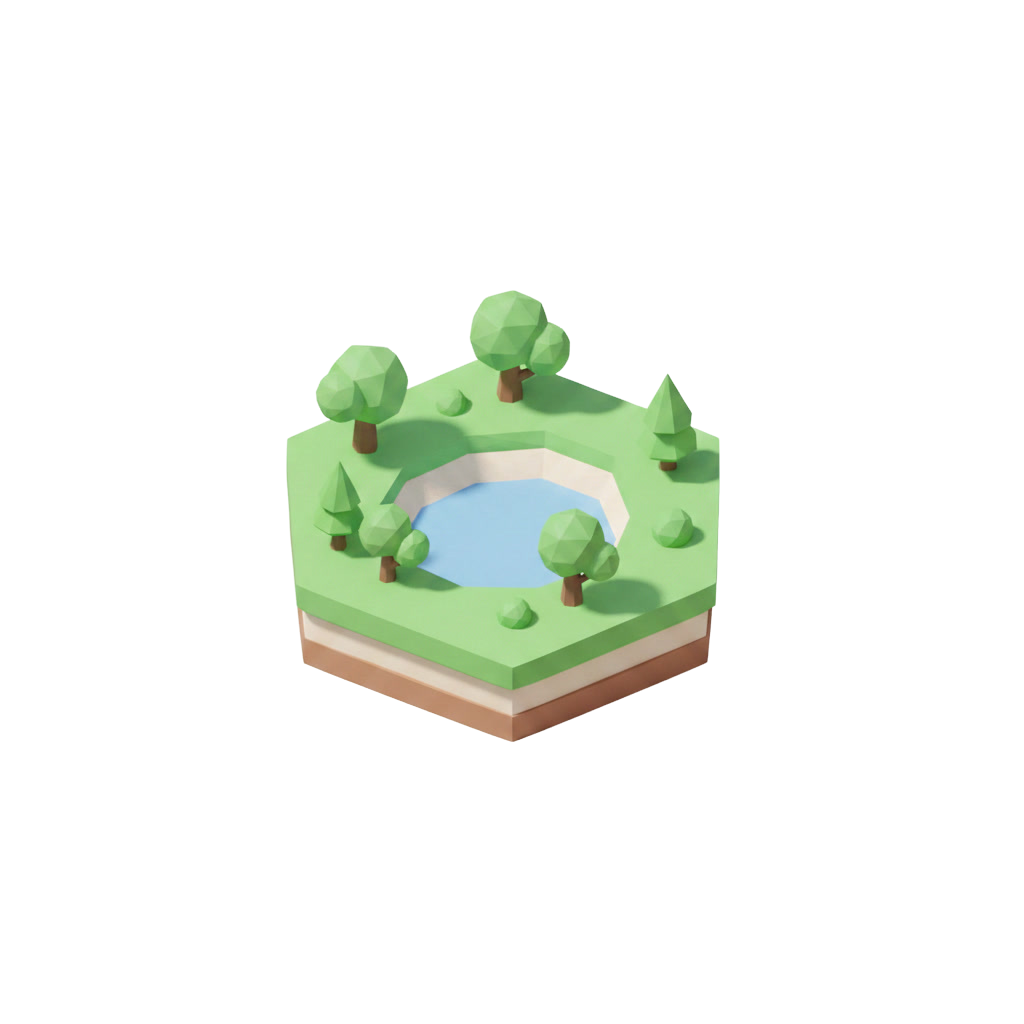
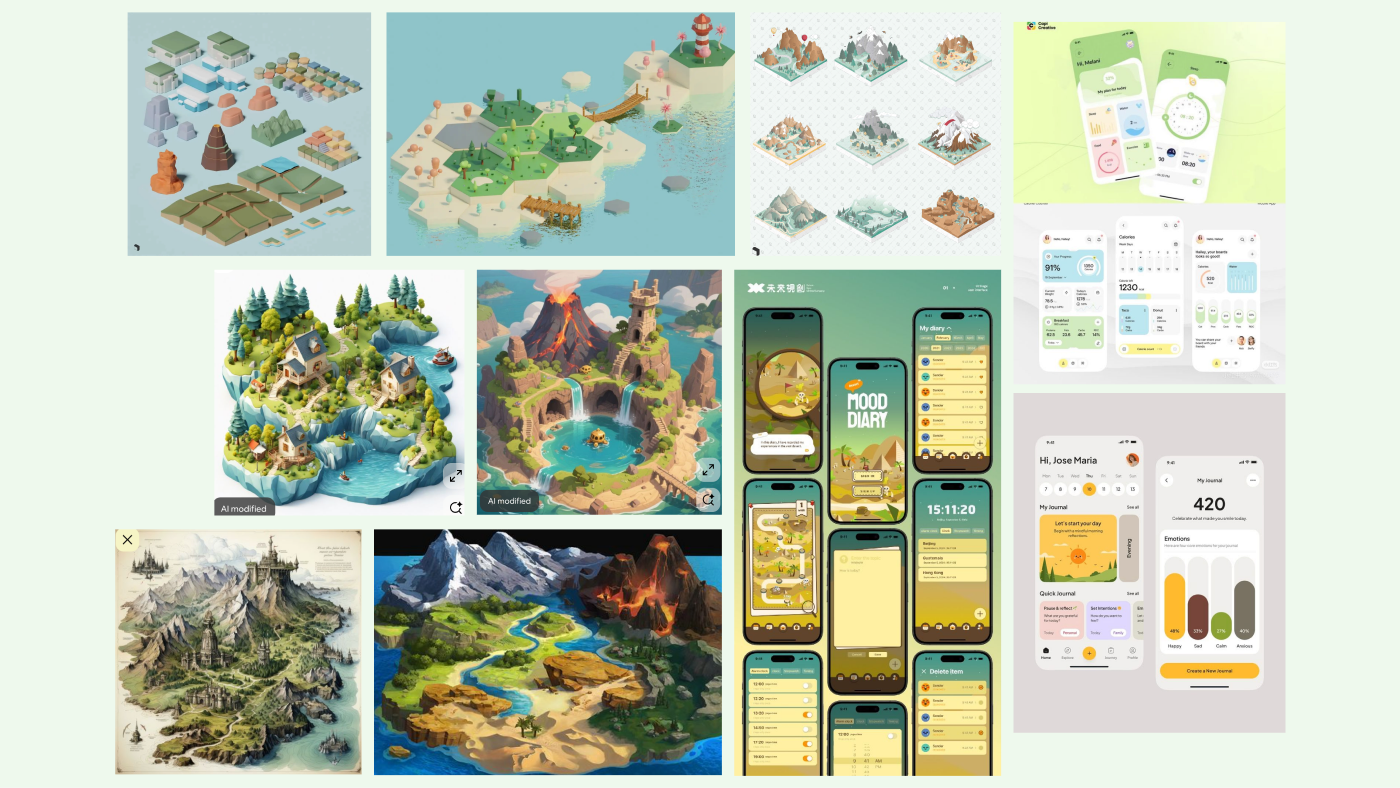
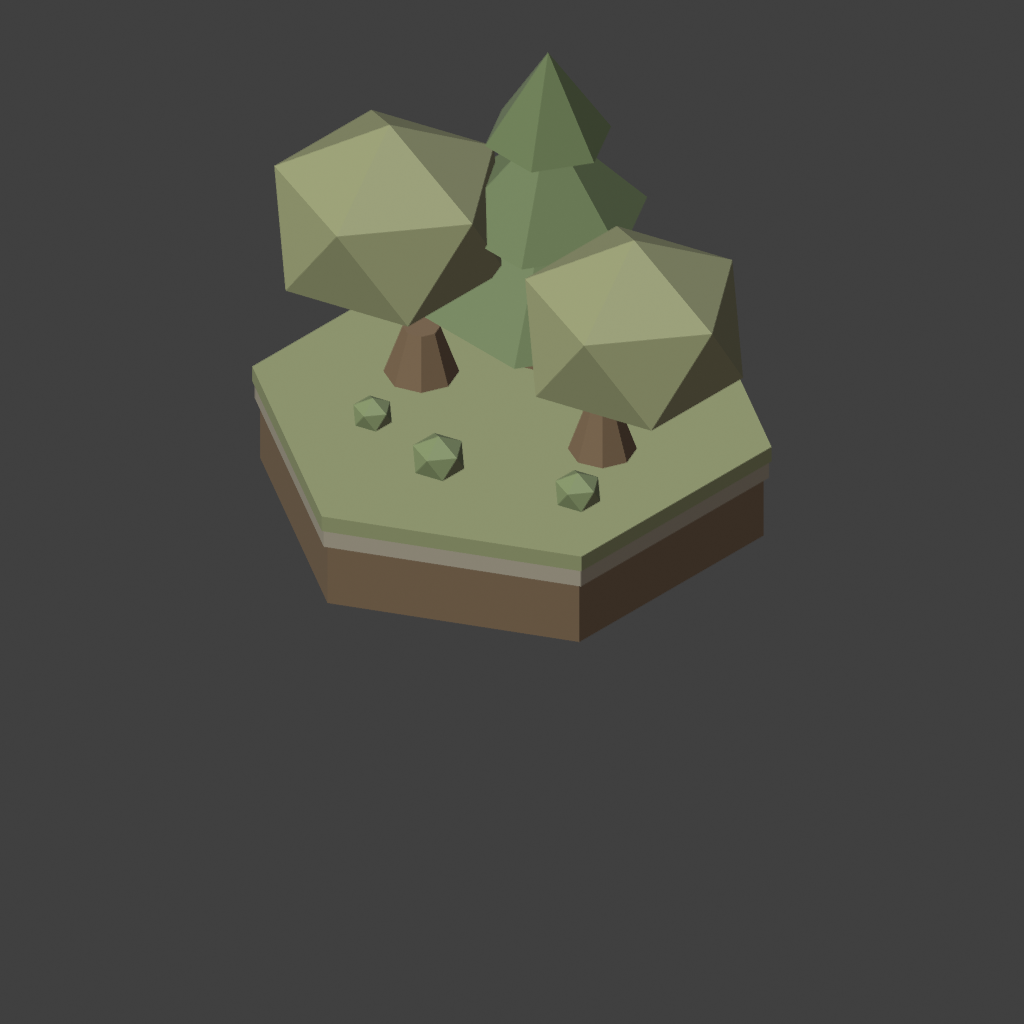
Tiles aren't single PNGs forever — the kit path renders separate layers: ground, pond, trees, bushes, shadows, low-poly pastel, matched against the Figma mood board.
Blender scripts / MCP-assisted batch render into assets/tiles/...
polygon budget, color language, layer taxonomy, export conventions — the schema that makes composition possible.
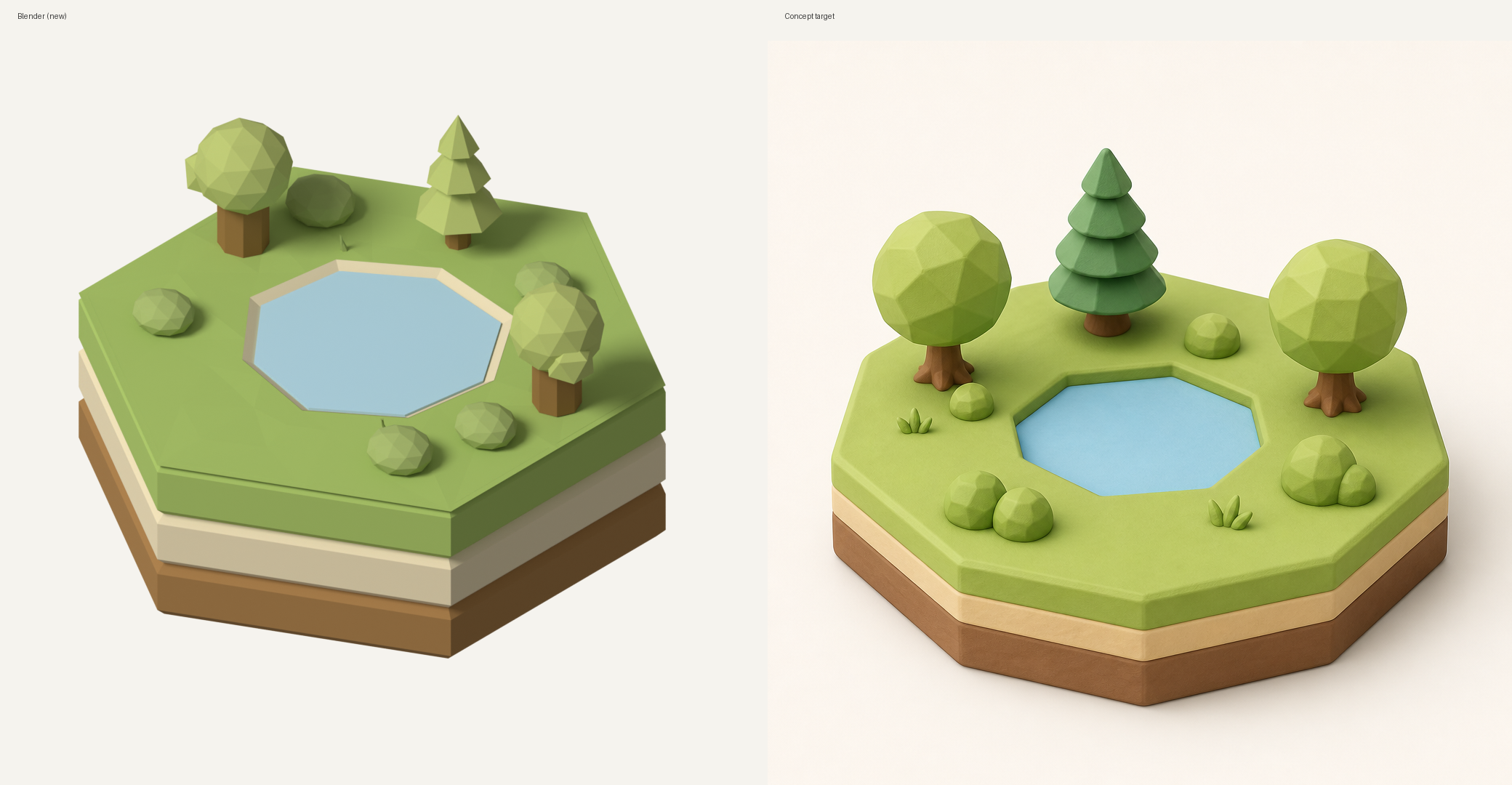
D. Runtime composition — the app as compositor
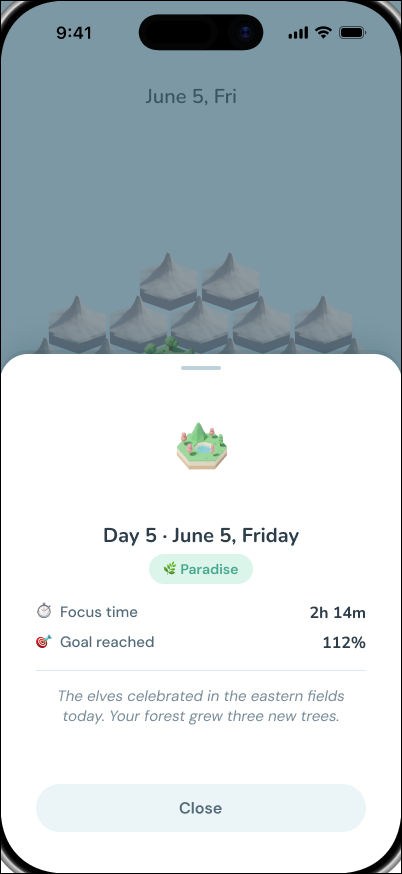
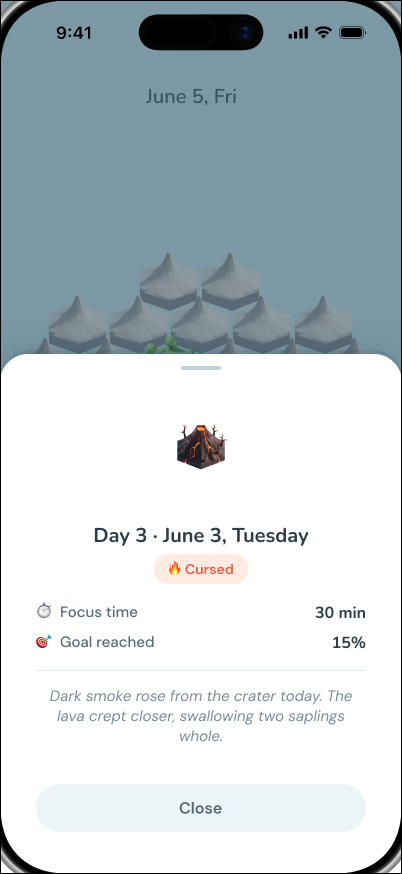
The client stacks layers per date and plays staggered reveals — ground → pond → flora → shadows for paradise; a different rhythm for cursed. The "delight" isn't a one-off After Effects clip. It's a timeline over a layer schema.
E. Month-world generation — Replicate Flux (optional node)
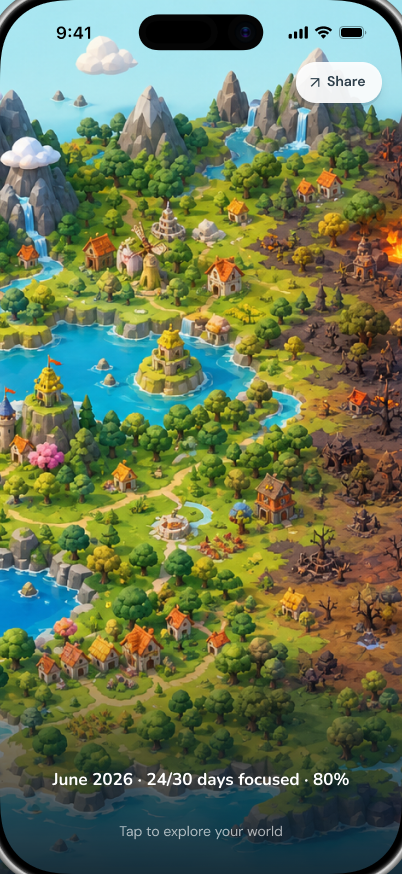
For continuous month-end islands, a color-block guide built from the month spec feeds Flux img2img, with clay mood refs in the prompt.
stylistic fill of a constrained silhouette.
guide construction, strength/seed policy, style refs, and the gate for whether a generated plate ships — or falls back to Blender / kit assets.
F. Persistence — MMKV + Supabase
Local-first cache, cloud sync when configured, profile bootstrap, session repositories.
with CRUD and wiring.
offline semantics: partial vs cursed, background auto-save, orphan merge, paradise re-entry with preserved progress.
The System, Across Figma and Code
A world product accumulates surfaces fast — tiles, day sheets, focus states, an archive. What keeps that maintainable isn't having a design system. It's knowing which repetitions deserve to become one thing.
The implementation settled into four layers: foundations → UI primitives → product components → screens. Foundations hold semantic colors, domain-state colors, surfaces, spacing, and radius. Above them, exactly two validated primitives. Above those, the product's own vocabulary — Paradise, Cursed, Incomplete — and the systems built on it.
Design / Figma
- Foundations
- ClayButton
- IconButton
- Paradise / Cursed
- Focus states
- Product components
Implementation
- theme
- ClayButton
- IconButton
- semantic domain states
- TimerPhase
- shipped screens
Not everything repeated should become a component. The Live*TileLayered components look alike but are separate art directions. StatusPill, a universal ScreenHeader, a universal DayStateVisual, TimerRing — same story: they shared a shape, not a decision, so they stayed apart.
I didn't start with a system and apply it to the product. I let the abstractions emerge from the product, then aligned the names on both sides.
Three Problems That Taught the System
1. Overlapping tiles lied about what you tapped. Paradise land overflows the hex outline, so naïve hit boxes let day 5 steal day 1. Fix: closest-center hit testing plus today-slot priority. Lesson: world UI fails as geometry before it fails as visual design.
2. Reveal only works if layers can appear on different beats. A flat PNG can't stage "pond forms, then trees grow." Splitting pond, shadows, and per-tree layers unlocked choreography that reads as birth, not a fade-in sticker. Lesson: author for animation in the asset pipeline, not only the component tree.
3. Session continuity is the real product. Leaving mid-focus, restarting, re-entering after goal met — these paths define trust. Progress accumulates; interrupted sessions become partial; today stays retryable until the goal is met. Lesson: for AI-era products, the state machine is often more "designed" than the screens.
How I'd Build AI-Native Products After Isleo
- Put models in replaceable nodes (generate, render, draft). Keep rules, scoring thresholds, and recovery paths in code you can explain.
- Design the schema before the prompt. Layer names, slot jobs, guide colors — structure is what makes AI output composable.
- Ship a fallback for every generative step. Kit tiles without Flux still make a product; Flux without a kit is a demo.
- Optimize for re-entry. Delight is cheap; continuity is the moat.
- Taste is a constraint file. Mood boards and polygon rules beat "make it clay" in a chat box.
Isleo is my proof that a design engineer can own product judgment and the factory that produces the world — with AI as labor inside the factory, not as the architect.
Status & Links
Status: Actively building. Runnable on iOS Simulator and Personal Team devices. App Store / TestFlight handoff is a later phase.
Source for the React Native app, tile kits, Blender tooling, and month-world generation scripts.
Stack snapshot
React Native + Expo bare · TypeScript · Zustand + MMKV · Supabase · Reanimated · Figma · Blender · Replicate Flux